
UPI (In/Out)
Payment method to a UPI wallet using a QR code with upi id
| Country | India |
|---|---|
| Currency | INR (Indian Rupee) |
| Method type | upip2p |
| Direction | Pay-in |
| Integration type | Widget/H2H |
| Transfer type | Transfer via UPI Wallet |
| Account number format | upi@wallet |
| Limits | **** |
Create Pay-in (API request) Integration type: Widget HTTP Method: POST Endpoint: /deals/payin
{
  "amount": 1000,                              // Payment amount
  "currency": "INR",                           // Currency
  "invoiceId": "invoiceID",                    // Unique invoice identifier on the merchant side
  "clientId": "clientID",                      // Unique client identifier on the merchant side
  "type": "upip2p",                            // Method type
  "successUrl": "https://example.com/success", // Optional (widget): URL for redirect on successful payment
  "failUrl": "https://example.com/fail",       // Optional (widget): URL for redirect on failed payment
  "backUrl": "https://example.com/back",       // Optional (widget): URL for return without completing payment
  "lang": "EN",                                // Optional (widget): localization EN
	"clientCredentials": {                       // Client data
        "firstName": "firstName",              // Client first name
        "lastName": "lastName",                // Client last name/surname
        "phone": "123456789",                  // Client phone number
        "email": "[email protected]",   // Client email
    }
}
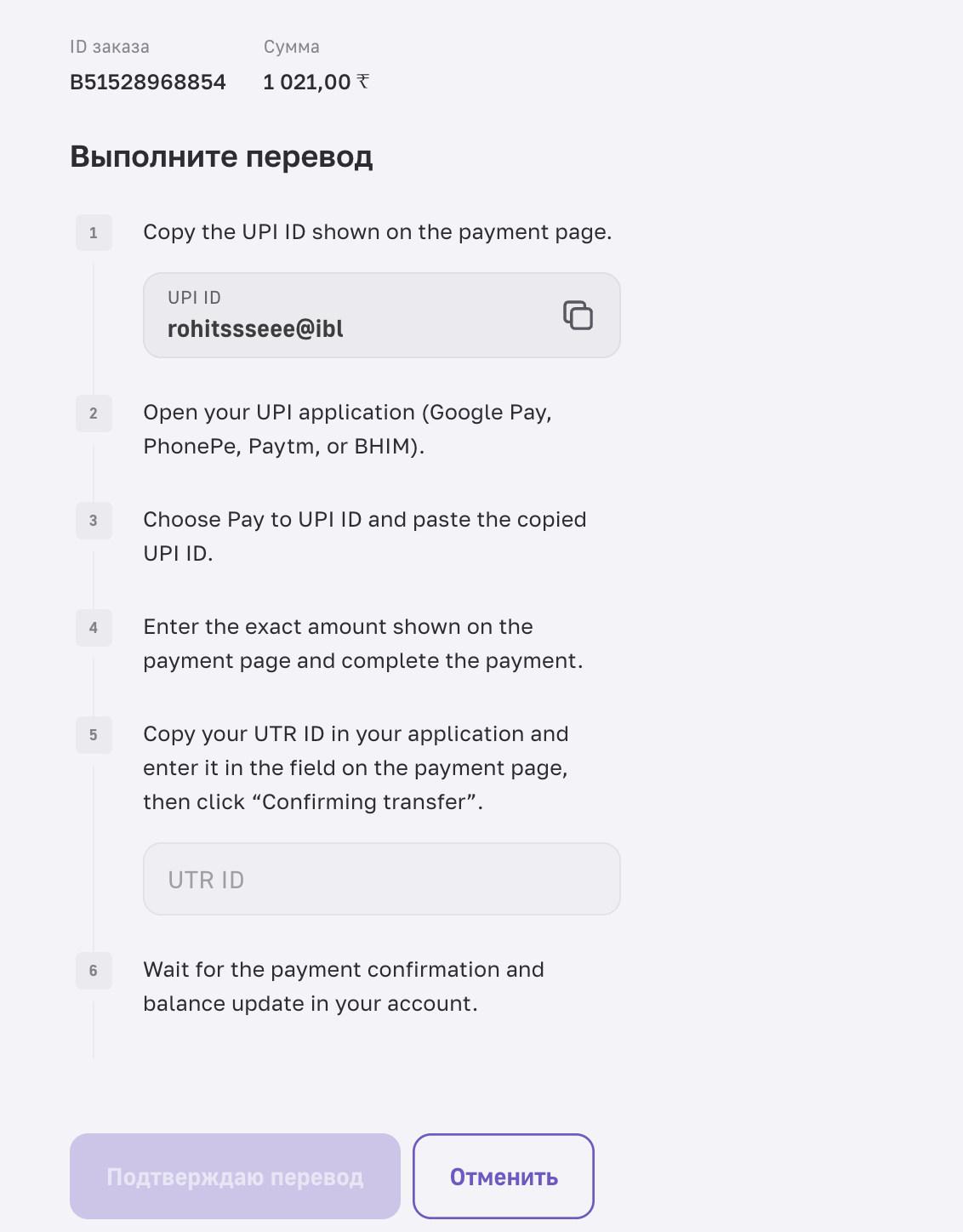
Widget for desktop
Create Pay-out (API request) Integration type: Widget HTTP Method: POST Endpoint: /deals/payout
{
  "amount": 100,
  "currencyTo": "INR",
  "invoiceId": "invoiceID",
  "feesStrategy": "add",
  "baseCurrency": "fiat",
  "recipient": {
        "account_number": "999999999@upi",
        "account_owner": "ignat petrenko",
        "type": "custom"
    },
  "clientId": "clientID",
  "type": "upip2p"
}
Updated 6 months ago
Did this page help you?